
Table of Contents
ToggleCalculating crypto profits should be simple, right?
But with multiple trades, fees, and market volatility, doing it manually is both frustrating and time-consuming. That’s exactly why our Crypto Profit Calculator exists today.
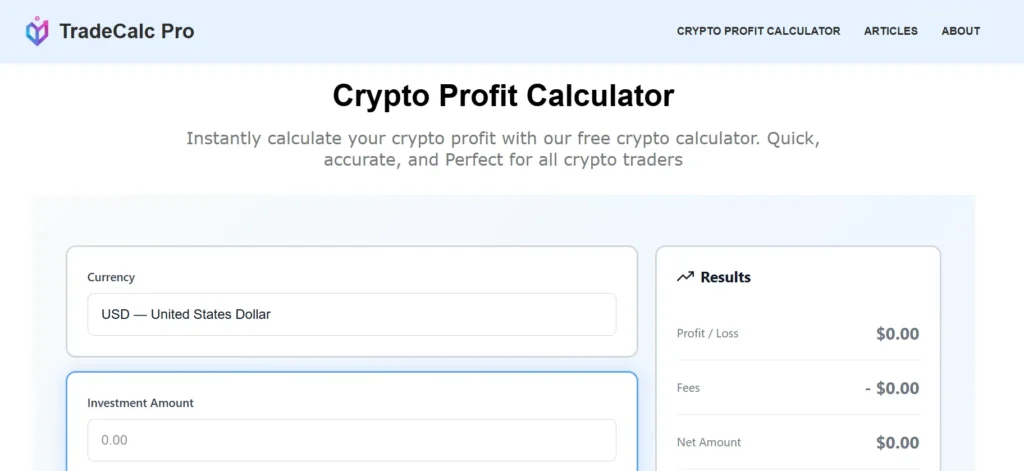
In this guide, you’ll learn how to use a crypto profit calculator, and get accurate results using TradeCalc Pro, a fast and easy-to-use crypto calculator designed for all traders.
Whether you’re a beginner or an experienced trader validating entries and exits, this guide covers everything for you step-by-step.
What Does Crypto Profit Calculator Do? (Explained Simply)
Our Crypto Profit Calculator helps you quickly analyze:
- How much money you will make (or lose) on a trade
- Your total fees
- Net profit (after costs)
- Percentage (gain or loss)
Instead of guessing or using spreadsheets, it speeds up your decision by instantly performing the math for you, minimizing the risk of manual-mistakes.
How Does A Crypto Profit Calculator Work?
TradeCalc Pro crypto profit calculator provides a clean, user-friendly interface that instantly calculates your profit or loss results. No buttons, no slow calculations, everything updates in real time.
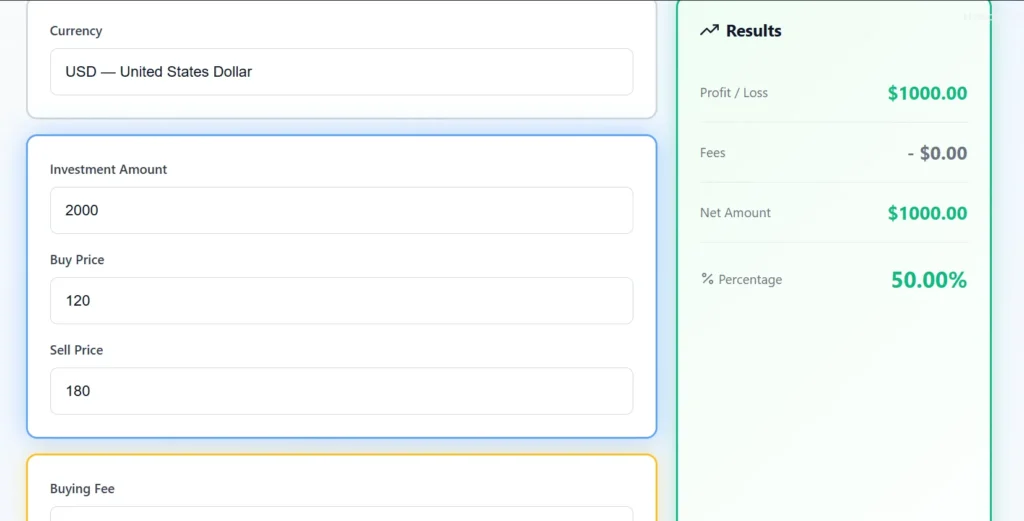
Here’s what the inputs mean:
Investment Amount: The money you invested in the trade.
Buy Price: The price at which you purchased the cryptocurrency.
Sell Price: The price at which you plan to (or already did) sell.
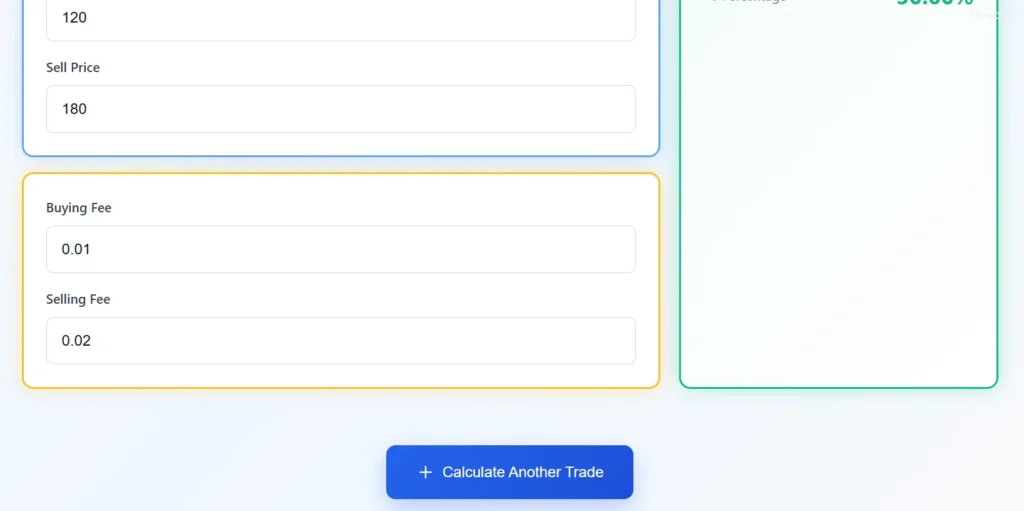
Buying Fee (optional): Any fee your exchange charged when you bought.
Selling Fee (optional): Any fee charged when you sold.
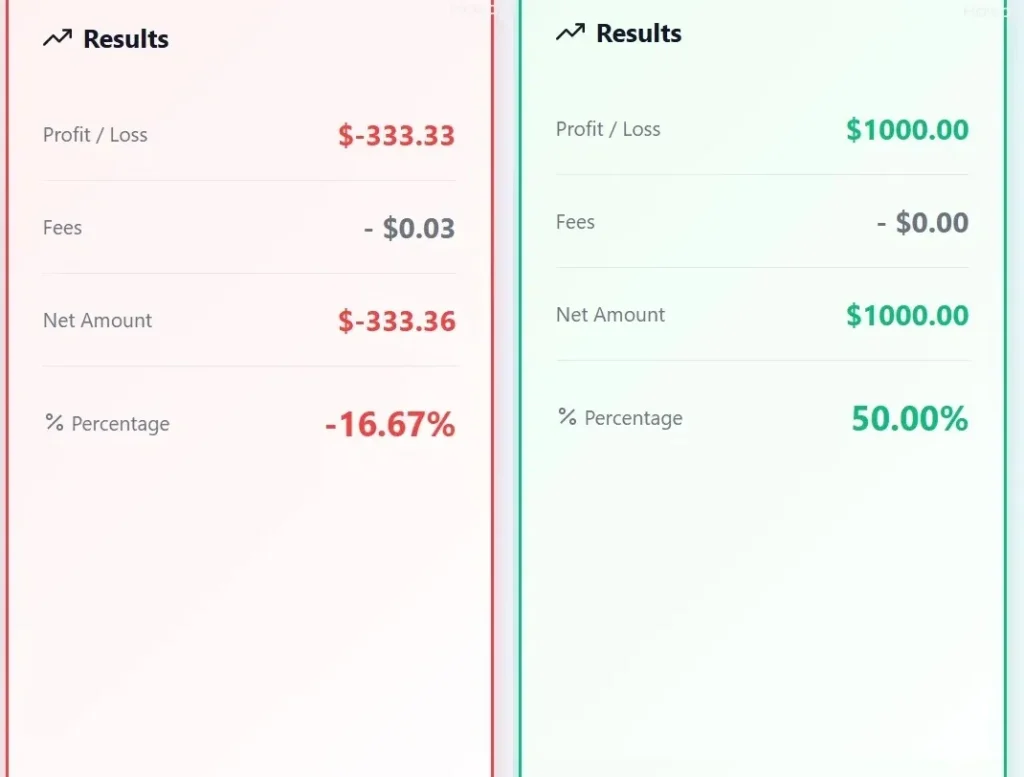
Results Panel Displays:
- Gross profit
- Fees charged
- Net amount
- Profit percentage
- Visual indicator (green for profit, red for loss)
And lastly,
“Calculate Another Trade” Button
Which allows you to perform more calculations and compare multiple trades at a time. This ensures you can calculate dozens of trades without any hurdles.
How to Use TradeCalc Pro's Crypto Profit Calculator (Step-by-Step)
Here’s exactly how to use Trade Calc Pro’s tool:
Step 1. Enter Your Investment Amount
Type the total amount you put into the trade (e.g., $500 or $2,000). The calculator uses this to determine how much crypto you purchased.
Step 2. Enter Your Buy Price
This is the price per coin/token you paid when you entered your position.
Example: 0.85 or 24,500
Step 3. Enter Your Sell Price
This is the price you plan to exit at (or already sold at). Our calculator will automatically determine your profit or loss.
Step 4. Add Your Buying Fee (Optional)
If your exchange charges a fee, enter it here.
Leaving it blank means “no fee”.
Step 5. Add Your Selling Fee (Optional)
Enter the selling fee (if any).
Step 6. Instantly View Your Results
Without clicking anything, you’ll immediately see:
- If you made a Profit or loss
- Your total fees
- Net amount
- Gain/Loss Percentage
The card will glow green if you’re profitable and red if at a loss.
Step 7. Calculate a New Trade
Press “Calculate Another Trade”, ideal for comparing multiple trades in seconds.
Conclusion
A Crypto Profit Calculator helps you avoid manual mistakes, and instantly calculate trading profit or loss while planning your entries and exits.
With TradeCalc Pro, you get an easy-to-use, clean, and fast crypto profit calculator that automatically calculates your results making it one of the best trading tools to use as a trader.
Start using our Crypto Profit Calculator at TradeCalcPro.com Now!